
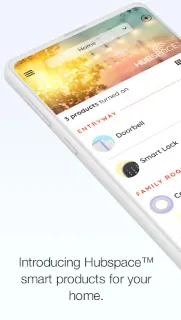
It’s Monday morning: one child is asking for a brighter bedroom light, while someone else wants the fan turned down before leaving. Hubspace gives me a single place to manage compatible Hubspace products instead of asking everyone to find a separate control. Organizing products by room or property can make the app easier to navigate when family members share responsibility for different spaces. The value is less about a grand smart-home setup and more about settling small household adjustments without a handoff.
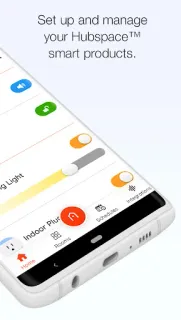
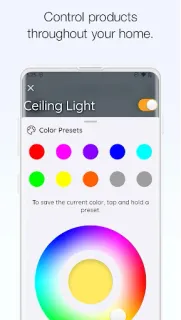
The app is for setting up Hubspace smart products and controlling them at home or remotely. Its controls include switching products on or off, changing supported lights’ colors and color temperature, adjusting fan speed, grouping products and setting schedules. Groups can help with a shared routine, such as turning several compatible lights off together. Google Assistant and Alexa integration is also listed, so voice control may suit a household where people already use those assistants. Treat this as a companion for Hubspace products, not a universal remote for every smart device.
The main catch is compatibility: the controls described apply to Hubspace products, so the app is useful only if your household has products in that ecosystem. Setup requires the relevant connected products and a home network; remote management also depends on the connection working. Before making it central to a routine, consider who in the household should have access to the phone and app. Schedules can reduce repeated taps, but they are not a substitute for checking a device when a routine matters. The app is free to install; product purchases and any other costs are separate considerations.
I’d consider Hubspace if my family already uses compatible Hubspace lights or fans and wants room-based controls, schedules or a shared way to manage everyday settings. It may also suit a small team responsible for a property, provided the products are compatible and access is arranged sensibly. I’d skip it if I want one app to control a mix of unrelated smart-home brands, or if I don’t own Hubspace products. For a home-improvement setup, check the exact product compatibility before relying on it. If that fits your household, use the Google Play button just below to open the listing and review the details.
 Best picksHubspace