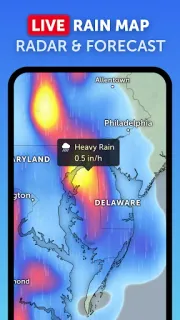
The school run is in 20 minutes, and a dark band of rain is edging toward the route I take. Zoom Earth earns a place in that moment: I can open a map, check the rain layer and see whether the wider system is moving toward us. It is handy when a single forecast icon feels too vague for deciding whether to walk, drive or pack the spare coats. I still treat the map as one input, not a promise about what will happen at our front door.
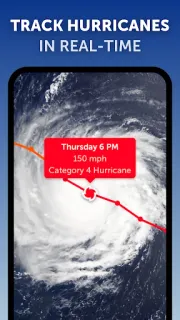
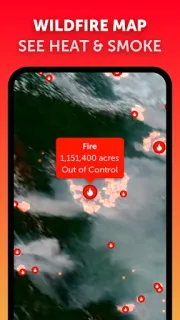
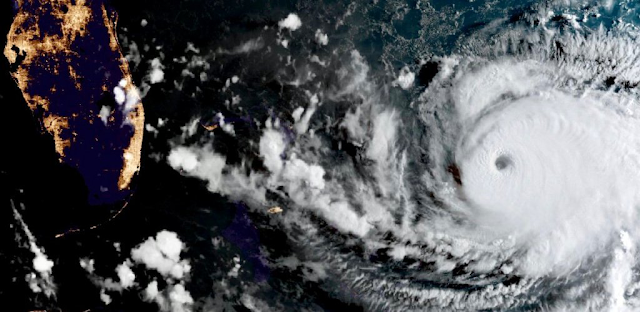
Zoom Earth is an interactive weather map with forecasts for your location and layers for rain, wind, temperature and pressure. Satellite imagery helps show cloud systems, while hurricane and storm tracking, wildfire and smoke monitoring offer a broader view when conditions turn serious. Its rain radar includes short-term nowcasting; the newer Radar Beta aims to improve accuracy, but coverage is limited during the beta. Under Temperature, Wet-Bulb Temperature maps heat and humidity together, a useful prompt to take oppressive conditions seriously. Satellite images update on different schedules, and the near-real-time imagery has a delay, so “live” does not mean instant.
The maps make it easy to explore, but a detailed weather picture can take more attention than a quick forecast card. Radar Beta coverage is limited, and satellite imagery can lag current conditions; check the map’s timing and local official alerts when decisions matter. The listing flags ads and in-app purchases, so review the Google Play details before installing if either affects your choice. I would also check app permissions on my phone and allow only what I need; location access can help show conditions for where I am, while browsing a map is the core appeal.
I’d install Zoom Earth if I like seeing how rain bands, wind and storms fit together before setting the family schedule, or if I follow hurricanes and wildfire smoke. It can complement routine planning, but it is not a smart thermostat, a source of guaranteed street-level timing or a substitute for local emergency guidance. Skip it if you only want a simple daily high and low with no map exploration. For a closer look at the app and its terms, use the Google Play button just below.