It’s the moment after a long pickup run: one person wants a plain pie, another is asking for extra toppings, and someone else would rather have wings. I’d open Hungry Howies to get everyone looking at the same menu instead of passing a phone around to search separately. The flavored-crust choices give the group a concrete place to start, while the wider menu leaves room for different appetites. It’s a practical fit when the question is what to order, not where to find a restaurant reservation.
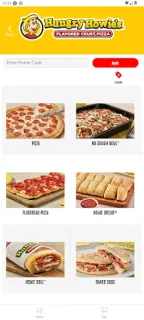
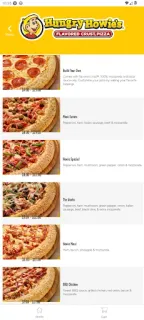
The app is for browsing Hungry Howie’s menu and placing an order from an Android phone. The menu description highlights eight flavored-crust pizzas, a range of toppings, Howie Bread, Howie Wings, oven-baked subs, salads, and more. That makes it useful for comparing a pizza with a non-pizza option before deciding. I’d treat it as a direct ordering route for Hungry Howie’s, rather than a general food delivery directory or a place to compare meal deals across restaurants. Check the menu in the app for the options available to you, then use its ordering flow to submit your choice.
One setting deserves attention before you get started: the app opts you into push notifications when you install it from Google Play. If you don’t want order-related or promotional alerts appearing on your phone, review notification permissions in your device settings and turn them off or adjust them there. The app is free to install, but that isn’t the same as a free meal; your order may have a cost, and the menu and ordering details should guide your decision before you submit it. I’d also check the current listing and app screens for anything you need to know about ordering at your chosen location.
Install it if Hungry Howie’s is already on your dinner shortlist and you’d rather browse its pizza, toppings, wings, bread, subs, and salads on your phone. It may suit a household that needs to compare several menu choices before placing an order. Skip it if you want one app to search across restaurants, arrange restaurant reservations, or discover takeout from places beyond this chain. If push alerts annoy you, decide whether to change that setting before placing an order. Ready to check the app details? The Google Play button is just below.