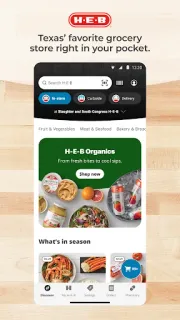
It’s late afternoon, and I’m trying to turn a dinner idea into a shopping plan before the next school pickup. My H-E-B can keep the ingredients in a list, then help me find them with in-store maps or move the shop to curbside pickup or delivery. The useful part is having those options attached to the same grocery routine, rather than trying to remember a paper list while changing plans.
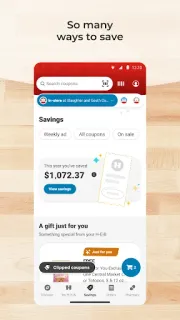
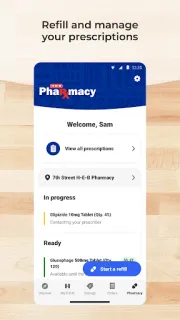
The app supports shopping lists, including sharing them, and lets you browse a store’s weekly ad and personalized digital coupons. You can shop for pickup or delivery, reorder items from past orders, scan a product barcode at home to find it online, and explore shoppable recipes. In-store maps may help locate products, while prescription management and pharmacy order history sit alongside grocery tools. It is aimed at H-E-B shopping, not general price comparison across retailers; the online marketplace here is the store’s own selection.
The first thing I’d watch is the handoff between planning and ordering: a list is not the same as a placed order, so check the cart, selected store, fulfillment option and time before relying on it. Digital coupons need to be redeemed, and personalized offers may differ by shopper. Pickup and delivery availability, timing and any associated charges can depend on the order and location, so review the checkout details. Shopping and account features also rely on the app connecting; keep a written backup for the few items you cannot forget. For shared lists, make sure the right people can access the list before dividing up the shop.
Install it if H-E-B is already where you shop and you want lists, coupons, weekly ads and ordering in one place. It may be less useful if you mainly shop elsewhere or need a grocery list that works without a connection. Before your next shop, try sharing a list and checking the store’s pickup or delivery choices. If that fits your routine, use the Google Play button just below to open the listing.