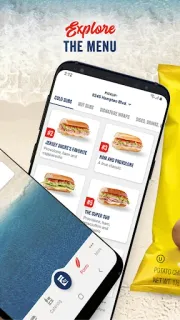
The family calendar is already crowded when someone asks for a sub on the way home. I’d use Jersey Mike’s to choose a nearby shop, customize the order and check its estimated ready time before deciding when to leave. That can make a quick takeout stop easier to fit between errands. I’d still treat the time as an estimate, not a promise, and keep an eye on the phone rather than assume an alert will arrive at exactly the right moment.
The app lets you explore the menu, place an order on the go, add notes and use a saved payment card. MyMike’s is where you can create an account, join the email club and track Shore Points; points can be earned on qualifying purchases described in the app and redeemed during a purchase or with an in-store QR code. For notifications, I’d start with Android’s app notification settings: leave useful order-related alerts enabled if they appear, and silence categories that interrupt without helping. The app’s listed features focus on ordering and points, so I wouldn’t count on it as a general food delivery tracker.
A few practical limits matter. You need a participating nearby location for pickup to be useful, and an estimated ready time can change with shop conditions. A MyMike’s account is the route to tracking points, while ordering can use a saved payment card; check the total and any charges shown at checkout before placing an order. If you prefer not to receive promotional messages, consider whether joining the email club suits you. Don’t install it solely for meal deals or assume notifications will announce every offer.
This fits people who already like Jersey Mike’s and want to customize an order before arriving. It is less useful if you rarely visit, want restaurant reservations, or need alerts to replace checking the order details yourself. If that trade-off works for your routine, use the Google Play button just below to open the listing and review it before installing.