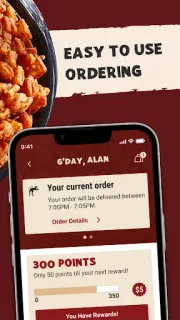
The family calendar says one thing, dinner plans say another, and nobody wants to start from scratch. That is where this app can earn its place: pick an Outback location, build a to-go order on your phone, and choose curbside pickup or delivery. If you often order the same favorites, saving a past order gives you a quicker route back to them next time.
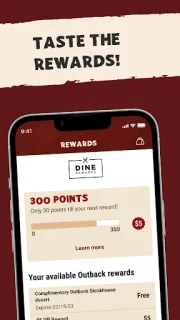
The app brings mobile ordering and Dine Rewards together. You can customize an order, pay through the app, look up nearby locations, sign up for the rewards program, track rewards and apply them to a mobile order. Previous orders can be used for reordering, and the latest update notes describe smarter menu search plus clearer notices when an item is complimentary. That search can help when you know what you want but not where it sits on the menu.
The first snag to check is location coverage: mobile ordering is described for participating Outback locations, so confirm your chosen restaurant before building dinner around pickup or food delivery. Rewards require a Dine Rewards account to earn and use them; they are not an automatic discount on every order. GPS can help when searching for a restaurant, so consider whether you want location access for that task. The description says card data is not stored on Outback’s servers, but you still choose what payment details to enter. This is a restaurant-ordering app, not a general meal-deals finder.
I’d install it if Outback is already in your family’s takeout rotation and you want saved orders or rewards access in one place. I’d skip it if you rarely eat there, or if your preferred location does not participate; check the restaurant and menu before counting on a particular order. For the app’s current details, use the Google Play button just below.