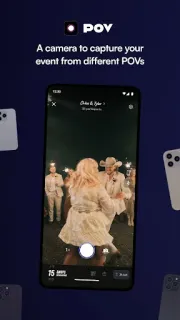
At a birthday dinner, the host is usually cutting cake, finding candles and answering the door—not collecting everyone’s photos. POV can give guests a way to add their own snapshots, so the evening’s small scenes are not all trapped on one person’s phone. It makes most sense when a host can spare a little setup time before guests arrive.
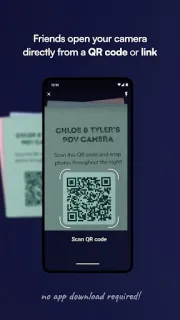
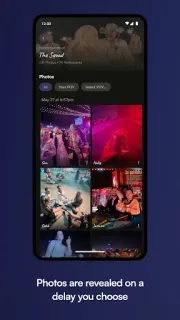
You create an event and customize its camera, including how many photos each guest may take. You can also style the screens with text, backgrounds and stickers, then choose whether the gallery appears during the gathering or the next day. Guests join through a link or QR code and can participate without installing POV themselves. That lowers the hurdle for a mixed group, though people still need to open the event link and use a compatible phone camera.
The first ten minutes are best spent deciding the photo limit, gallery reveal time and visual design before sharing the event link. A limit that is too tight may frustrate guests; a gallery that opens during the event gives a different feel from one held for tomorrow. QR codes and NFC tags are purchase options, and the app offers in-app purchases, so check the Google Play listing for current purchase details before building them into your plan. As with any shared photo event, tell guests what the pictures are for and who will see them.
POV suits weddings, parties and other gatherings where guests are willing to contribute and someone can configure the event in advance. It is less useful if you want a ready-made album without making setup choices, or if your guests are unlikely to follow a link or scan a code. I’d also look elsewhere for restaurant reservations, food delivery or event tickets; those are separate needs, not the point of this app. If a shared event camera fits your plans, use the Google Play button just below to check the listing and install POV.