
The school pickup plan changes, and the haircut I meant to book is suddenly competing with dinner and a family calendar. StyleSeat is useful when I want to browse beauty or barber professionals and make an appointment without fitting a round of calls into the day. For clients, the first useful step is choosing a professional and service; for a busy provider, it can be a place to put bookings and availability in view.
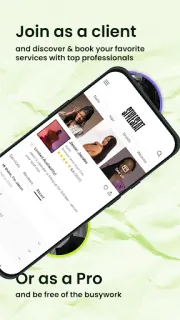
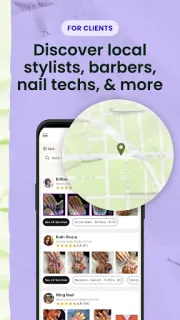
The app serves both sides of the appointment. Clients can search for professionals, discover services and book; the latest notes also describe StyleSeat Messaging for talking with a pro about a booking. Professionals can manage calendars, availability and personal time, publish a booking site with service details and prices, send reminders, and keep client notes and booking history. The notes also introduce forms, email marketing, product sales, location instructions and advanced calendar features for pros. That breadth is appealing, but it means the first few minutes are less like picking a single beauty product and more like deciding which setup path fits: booking a service or running a business.
I’d choose the client or professional route deliberately before filling in details. A pro setting up a calendar, services and prices has more to configure than someone trying to book a trim, and the newer professional tools include a Premium Plan. The listing flags the app as free to install, but that is not the same as every professional feature being free; check the Google Play listing and the plan terms before relying on paid tools. Messaging is for booking conversations, not a guarantee that a pro will reply at a particular time. Keep the appointment details and any location instructions handy while setting up, so the booking is easier to finish.
Install StyleSeat if you want one place to discover a stylist or barber and book, or if you’re a beauty professional who wants calendar and client-management tools. Skip it if you only need a basic personal calendar or would rather contact a salon directly. For a pro, the setup effort makes most sense when you plan to use several business features; for a client, start with a specific service and see whether the available professionals fit. Check the Google Play button just below to open the listing and confirm it’s the app you want.

 TipsStyleSeat