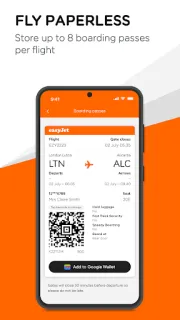
At the airport, one child is asking which gate to follow while another wants to know where the boarding pass went. I’d use the easyJet app to keep the booking and travel details in one place, then bring up the mobile pass when it’s time to board. For a family or small team, that’s a practical alternative to digging through separate messages. The useful part is having the trip information close at hand when everyone is moving.
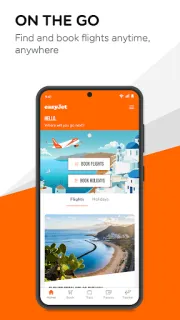
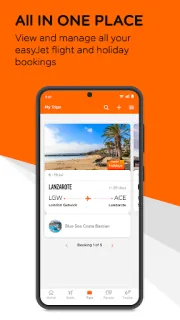
The app lets me search and book flights or package holidays, manage easyJet bookings, and check upcoming trip information from the homescreen. It also offers real-time lockscreen flight updates, arrival and departure information, and a flight tracker with a FlightRadar24 map. Mobile boarding passes can be stored offline, with up to eight passes per flight, and can also be saved to Google Wallet. That makes it handy for an airport day, though each traveller should know how to access their own pass.
The main catch is that this is for easyJet trips, not a general trip planner for flights across different airlines. The listing flags ads, and package holidays have their own terms; check the booking details for costs and conditions before committing. Offline access applies to boarding passes, so I’d make sure each traveller can open the right pass before relying on it at the airport. For a group, agree who is managing the booking and how everyone will get their boarding pass.
I’d install it if I’m booking or managing an easyJet flight or holiday with family or a small team, especially when keeping boarding passes together matters. It’s less useful if I need one place for trips on several airlines or want a shared calendar for everyone’s plans. For travel booking beyond easyJet, I’d keep a separate trip planner alongside it. If this fits your trip, the Google Play button just below is the next place to check. You can also compare hotel deals separately if your group still needs a place to stay.