
At a crowded station, I want a route on my phone before I start asking which platform to use. That is where an eSIM plan can earn its place: arrange mobile data ahead of a journey, then use maps or messages once the phone connects to a local network. Saily is aimed at that gap, not at replacing every part of a trip planner. I would still save addresses and tickets somewhere I can open offline; the app is about mobile data, not a guarantee that every service will work without a connection.
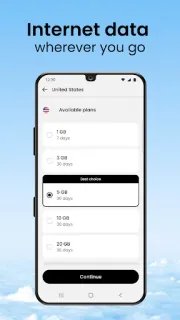
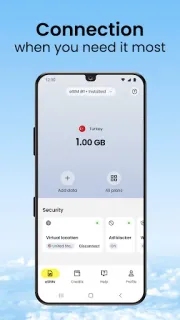
The app offers local, regional, and global prepaid data plans, with coverage described for more than 200 destinations. You choose a plan in the app and follow its guided steps to add and activate an eSIM profile on a compatible phone. The data profile can sit alongside a primary SIM, so your usual number can remain available for calls and texts. If the data runs low, the app also supports topping up. That can be useful when an itinerary changes, though the plan choice still needs to match where you are going and how much data you expect to use.
The main weak-connection question is timing. Choosing or managing a plan depends on reaching the app and its services, while an eSIM still needs the phone to support the feature and the plan to cover the destination. I would set it up while I have reliable internet, then check the phone’s mobile-data and eSIM settings before travelling. A plan is prepaid data, not free connectivity; check the price, allowance, validity, and destination coverage on the plan screen before paying. Keep offline maps and essential travel details available in case mobile data is slow or unavailable.
Saily makes sense for someone who wants to avoid roaming charges and would rather arrange data on a phone than look for a local SIM shop. It is less useful if the handset lacks eSIM support, or if you need a dependable offline connection: an eSIM does not replace saved maps, tickets, or contact details. I would compare the plan with the route, especially for a multi-country trip, and leave time to complete setup on steady Wi-Fi. If that fits your travel routine, use the Google Play button just below to open the listing.

 CompareSaily