
At a café abroad, I can picture the moment this earns a place: a menu arrives in a script I can’t read, or I need to ask a simple question without turning the exchange into a guessing game. Instant Voice Translate brings voice, photo and text translation together, so I can try the tool that fits the situation. The important wrinkle for travel is the connection. On a weak signal, live voice translation may be less dependable; I would prepare for that before relying on it at an airport or in a place with patchy service.
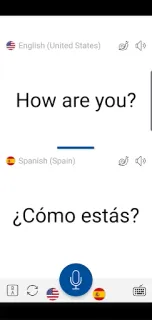
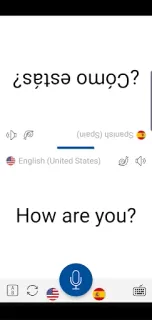
The app is designed for face-to-face conversation. Its voice translation turns spoken exchanges into translations, while split-screen mode is intended to make a bilingual back-and-forth easier to follow. For printed text, I can capture or import an image of a sign, menu or document. Text translation covers individual words and phrases, and slow audio playback can make translated speech easier to catch. The latest update notes describe ChatGPT integration to improve translation results. Those features make it a possible pocket companion for a trip planner’s language needs, but they are not a promise that every function works without internet access.
I would not treat it as an offline translator without checking the connection requirements for the functions I need. Voice recognition and translation improvements may depend on connectivity, and weak service may interrupt or delay a conversation. The app contains ads and offers in-app purchases, so check the Google Play listing for purchase details before installing. I would also grant camera or microphone access only when using the related image or voice feature, and keep an offline phrasebook or written essentials as a backup. That matters when reading a menu is urgent, not leisurely.
I’d consider installing it for occasional travel conversations, reading signs and menus, or practicing translated phrases with slower playback. It may suit someone comparing travel booking details or asking for directions, but I wouldn’t make it my only language tool in a dead zone. If offline use is essential, skip relying on it until you’ve confirmed the features you need work without a connection. Check the Google Play button just below for the Erudite listing and its purchase details before you install.

 CompareInstant Voice Translate