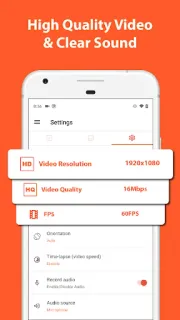
A settings screen is easier to explain when the other person can see each tap. I’d use AZ Screen Recorder to capture that walkthrough, pause when I need to collect my thoughts, then resume without stitching separate recordings together. It can also help preserve a video call or a gameplay moment as a clip. If your main goal is simply to show a still image, though, a screenshot is quicker and easier to share.
The app records your screen with microphone audio or internal audio, and offers controls to start, stop, pause and resume. A floating facecam can put your face in the corner; drawing on screen can call attention to a button or menu. It can also capture GIFs, and the built-in video editor can trim clips, remove a middle section, merge videos, add music or subtitles, crop, rotate, compress, and extract frames. That makes it useful for a quick how-to, though it is not a substitute for a dedicated video editor when you need a more elaborate project.
The extra tools bring extra decisions. Screen and audio capture may require permissions, and internal audio support can depend on the Android version and the app being recorded. Check the recording controls before an important call, and make sure everyone involved is comfortable with recording. Ads and in-app purchases are part of the listing, so look at the Google Play details before relying on a paid feature. Long or high-quality recordings can also take up substantial storage; compression may help, but it still leaves you managing video files.
Install it if you regularly make tutorials, capture gameplay, or need to mark up a screen recording before sharing it. Skip it if you only need occasional screenshots, want a quiet tool without ads, or expect a full-featured video editor for complex projects; your phone’s built-in screen recorder may be enough for a basic clip. For stock photos or photo books, this is the wrong kind of app: it works with screen video, not photo projects. Check the Google Play button just below to decide whether its recording and editing tools fit your routine.