A family movie night can stall on a tiny task: finding a title while someone asks what time practice starts and a phone notification lights up. I’d reach for Amazon Fire TV when the on-screen search feels fiddly or the remote is out of reach. The phone keyboard gives me another way to enter text, and navigation and playback controls keep the basic viewing tasks together. I’d still keep notifications focused on what matters; this app is a remote, not a notification organizer.
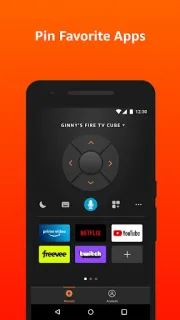
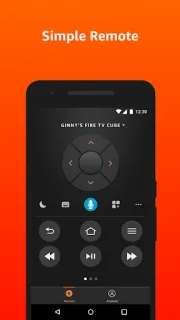
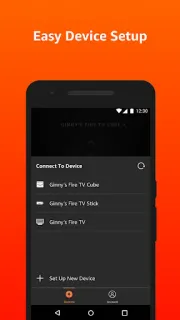
The Android app is designed to work with Fire TV streaming media players. It offers simple navigation, playback controls, a keyboard for text entry, and quick access to apps and games. Voice search is another option in countries where it’s available. That makes it a practical companion for searching from the sofa, rather than a replacement for every device in a smart home. It is built around Fire TV, so it won’t turn a laptop or smart TV from another brand into a compatible player. For gameplay, the listing points users to the Fire TV remote or optional Amazon Fire TV Game Controller.
The connection depends on a multicast-enabled Wi-Fi router, so check that your phone and Fire TV can communicate on your home network. The app is free to install. Voice search availability varies by country, and the controls are intended for navigation and playback rather than gameplay. If you’re choosing what to keep within reach, a smartwatch may show a notification, but it isn’t the controller described here. The developer’s latest notes mention bug fixes and performance improvements.
I’d install it if a Fire TV is part of your regular viewing and phone typing or quick app access would help. I’d skip it if you want a general-purpose remote for other smart TV brands, or if you mainly need game controls. Before relying on it for a watch-party search, confirm your network setup and check whether voice search is available where you live. The Google Play button just below is the place to open the listing and check the app details.
 TipsAmazon Fire TV