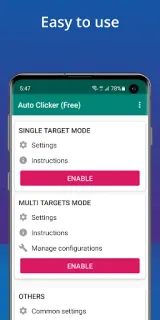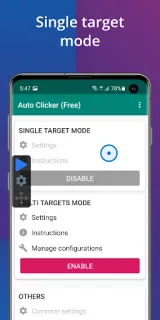
At the kitchen table, I’m trying to follow a recipe while a game on my phone asks for the same screen tap over and over. Auto Clicker is useful for that kind of repetitive task: I can place a tap point, set how often it repeats, then use the floating controls to start or stop it without reaching for a tiny on-screen button each time. It’s a narrow convenience, but a welcome one when a task needs steady taps rather than quick decisions.
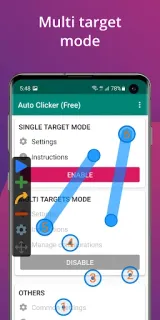
The app supports multiple click points and swipes, plus a global timer that can stop a run after a chosen period. It also offers import and export for automatic scripts, handy if I want to keep a setup rather than arrange every action again. The controls are intended to be approachable, but setting points and intervals still takes care: a misplaced tap could land on the wrong part of a game or app. It needs Android 7.0 or later and doesn’t require root access.
The main cost question is ongoing, not just the free install: the listing flags both ads and in-app purchases. I’d check the Google Play listing for the purchase options and any subscription terms before relying on it over a year; a one-off install does not tell me what repeated use may cost. It also requires Accessibility service access so it can simulate screen actions. That permission is central to how it works, so I’d enable it only if I’m comfortable with the app controlling taps and swipes on screen. No account is described as a requirement in the app details.
I’d consider it for repetitive game actions or other tasks where the same screen sequence needs to run again and again. I’d skip it if I need a hands-off tool that makes decisions, or if I’m uncomfortable granting Accessibility access. It isn’t a home security camera or a smart home controller; its job is much more specific, and the ads and purchase options deserve a look before regular use. If that trade-off fits, the Google Play button just below is the next place to check the listing and install it.