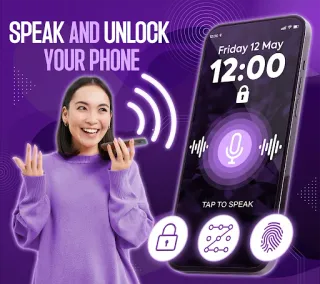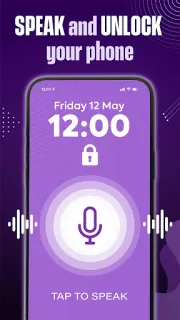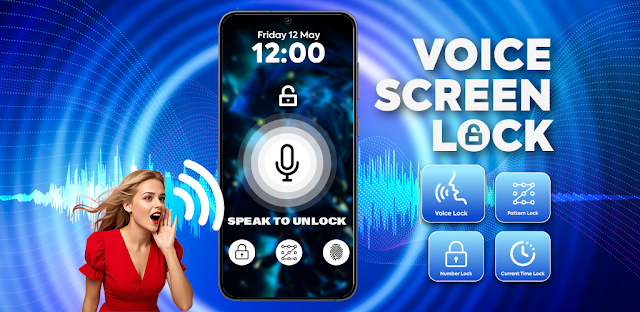
My hands are full of groceries, and the phone is buzzing on the counter with a family-calendar change. A spoken password sounds appealing in that small moment: I could try saying it instead of reaching for a PIN. Voice Screen Lock is aimed at people who want that kind of alternative, especially when convenience matters more than keeping every unlock silent. There is a catch built into the idea: speaking a password is awkward in a quiet room, a busy shop or anywhere nearby people might hear it.
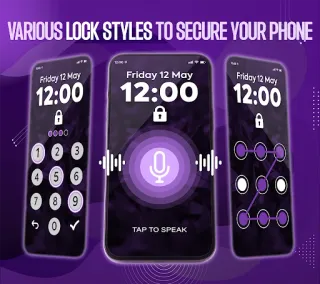
The app’s description presents voice-command unlocking and also mentions PIN and pattern lock styles, including different screen looks. It is a screen-lock option, not a general privacy tool for every app or account. Before relying on it, I’d check how the lock is set up and whether a PIN or pattern gives me a usable fallback. The listing’s wording points to a voice password chosen by the user; it does not turn ordinary speech into a secret. Treat the spoken phrase as something that could be overheard, rather than as a private account credential.
The trade-off I’d weigh first is access: a voice feature needs a way to hear the command, so review any microphone permission request and decide whether that fits how you use your phone. Check other requested permissions in the Android permission screen too, and avoid granting access that seems unrelated to the lock. The app contains ads and offers in-app purchases; free to install does not mean every option is included. I’d also consider whether ads or purchase prompts are comfortable on a screen utility that sits close to a private device. No account is needed for a basic screen-lock choice unless the app itself asks you to set one up; read each prompt before proceeding.
I’d install it only if a spoken unlock genuinely suits my routine and I’m comfortable checking permissions, ads and purchase choices before setup. If I often unlock in public, need a discreet method, or want a lock I can trust without reviewing access prompts, I’d stick with a familiar screen lock instead. On a Galaxy A-series phone, I’d pay particular attention to the permission screen and keep a fallback I can use when speaking is impractical. Open the Google Play listing just below to check the developer and listing details before installing.