At the kitchen table, the dishwasher is running while someone tries to talk across the room. I’d open Sound Meter for a quick comparison: does the room sound louder with the kitchen door open, or after the cycle ends? The app suits those small, everyday questions, when a rough reading is more useful than arguing over whether the noise changed. It can also make a family’s “too loud” conversation more concrete, without turning a phone into professional measuring equipment.
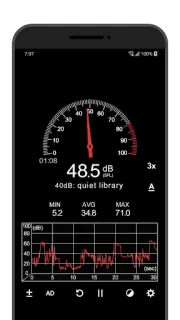
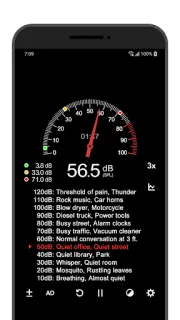
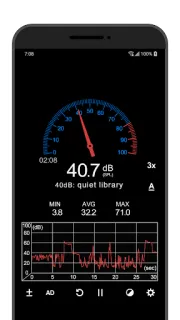
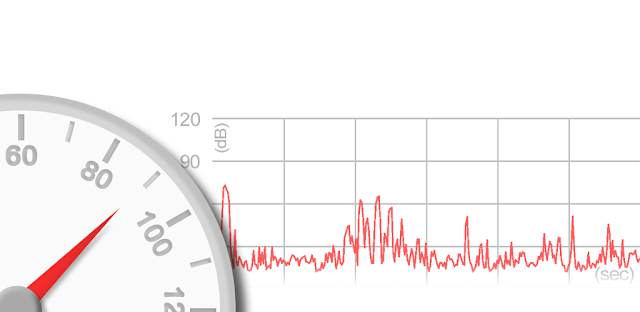
The screen can show decibels on a gauge, alongside a current noise reference and minimum, average and maximum readings. A line graph helps track how the level shifts, while elapsed time gives the reading a timeline. There’s also a calibration control for adjusting the meter to a particular device. Those displays make it easier to compare moments on the same phone; I’d avoid treating them as a precise comparison with a separate meter or another phone. The listing describes measurement on the device, so this is a handy option to try when a connection is weak or unavailable, rather than an app whose main job is fetching online content.
The important catch is the microphone. Android phone microphones are generally tuned for human voices, and device limits can prevent very loud sounds—around 90 dB and above—from registering reliably. Sound Meter is an auxiliary tool, not a dependable way to certify a noise level. The app is free to install, contains ads and offers in-app purchases, so check those details on Google Play before you get it. I’d also grant microphone access only if you want it to measure sound, and keep other people’s conversations out of the measurement area.
Install it if you want a convenient visual check for household noise, a hobby project or a rough before-and-after comparison. Skip it if you need accurate readings for a serious decision; use a dedicated sound level meter instead. It’s also not a substitute for listening to how a room feels: a graph cannot tell you whether a conversation is comfortable. If that trade-off fits, the Google Play button just below is the next stop.