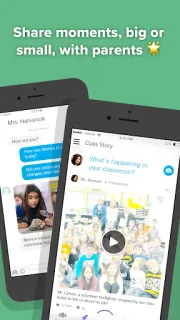
The class group chat is quiet, but a child comes home talking about a teamwork activity you never heard about. ClassDojo gives a teacher a place to share classroom photos, videos, and announcements, so families can catch up without waiting for the next school meeting. The first few minutes are less about exploring every tool and more about getting the right people connected: the teacher, family members, and students need to know where class updates will appear. If you are helping a child join, agree on who will handle setup before everyone starts tapping around.
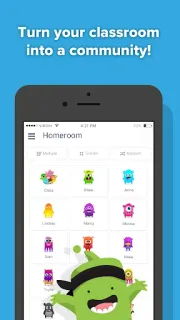
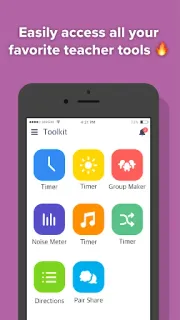
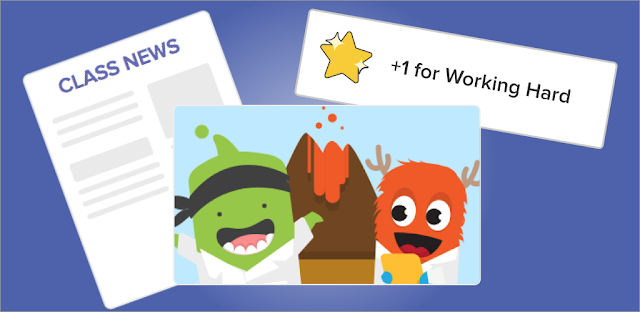
Teachers can encourage skills such as working hard and teamwork, share photos and videos, and send announcements to families. Students can add classwork to digital portfolios for their parents to see. Teachers can also message parents, while parents get a stream of updates from school to view at home. Group Maker and Noise Meter are among the teacher tools gathered in the app. That gives a class several reasons to open it, but the value depends on the teacher actually using it and families checking the updates. It is classroom communication, not a replacement for a family calendar: I would still put pickup changes and appointments where everyone already checks them.
For a smooth start, expect to choose the right classroom and connect the relevant parent or student accounts; confirm the teacher’s preferred way to join before setting up multiple profiles. ClassDojo is free to install and offers in-app purchases, so check the Google Play listing for purchase details before committing to anything paid. Photos, videos, messages, and student work are personal classroom material. I would review who can see a child’s portfolio and agree at home on which device will be used. The listing describes use across phones, tablets, computers, and smartboards, which can help if a child does not have their own phone.
I would install ClassDojo if a teacher is already using it and your household wants a shared stream of classroom news, encouragement, and student work. It can also suit teachers who want messaging and classroom tools together. Skip it if your school communicates through another channel and nobody plans to keep this one current; another inbox is not useful on its own. Before starting, make sure the teacher can help connect the right class and family members. Check the Google Play button just below to open the listing and confirm the app details.