Work & Productivity apps and guides
A school message arrives while I’m trying to find a picture for a task. I put drawing, classroom and gallery tools here, with a practical distinction between quick jobs, cloud storage and project management.
4 apps · 3 guides · top pick first
See the top pickDrawing, classroom messages and pictures to organise
 Easy DrawAndroidOur top pickFollow bite-sized drawing steps, then undo a line and try again.
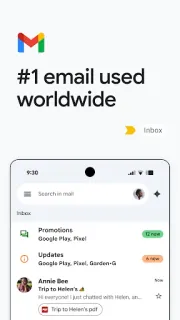
 GmailAndroidMy take on finding real mail and replying from the right address.
 ClassDojoAndroidShare classroom highlights, student work, and teacher messages with families.
 GalleryAndroidBrowse memories, make albums and keep selected media behind a PIN.
Work & Productivity guides
- Tips · GmailGmail: 6 ways to keep newsletters out of your wayKeep the newsletters worth reading without giving every new issue a place at the front of Gmail.
- How-to · GmailGmail: Find the Missing Email With These 6 Search MovesFind a buried reply or attachment by combining Gmail search operators instead of scrolling.
- How-to · GmailGmail: bring unfinished emails back when you can actGive unfinished mail a return time instead of leaving it buried or marking it unread again.
Other categories
How we pick Work & Productivity apps
I ask what I need to produce or find, where that work will live and who needs access to it. Easy Draw, ClassDojo and Gallery tackle different parts of a busy day, so I avoid treating them as interchangeable productivity tools. I also ask whether a small task really needs project management, or simply a clearer way to create and organise something. When cloud storage matters, I check how saving and sharing fit the task rather than assume every app handles both.
Work & Productivity FAQ
How do I choose between a simple tool and a larger work app?
I name the immediate task first: make a drawing, find a picture or read a classroom message. I choose a broader tool only when I also need shared responsibilities or progress tracking.
Is a gallery app the same as cloud storage?
I treat viewing and organising pictures as separate from keeping a copy online. Before relying on either, I check where the files are saved and whether backup is enabled.
Should I choose my own classroom communication app?
I start with the platform my child’s school or teacher uses. For an app such as ClassDojo, the school’s invitation helps me connect to the right classroom.