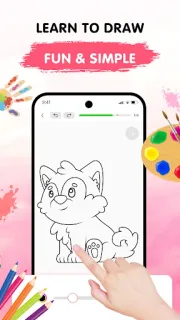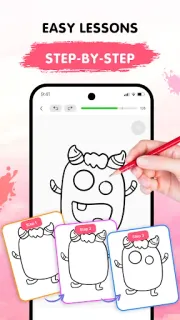
It is a rainy afternoon, and one child wants to draw a cat while the other asks for a cartoon character. Easy Draw gives us a shared starting point: choose a subject, follow a sequence of small drawing steps, and keep going at our own pace. That guided rhythm is the reason I would keep it around. Instead of staring at a blank page and guessing what to draw first, a beginner can focus on one line or shape at a time. It suits a short, low-pressure activity at the kitchen table, especially when the goal is to get drawing rather than produce a polished picture.
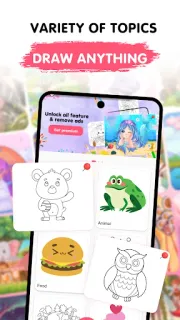
The app’s lessons cover themes such as animals, cartoons, food, the universe and the environment. Each tutorial is divided into bite-sized steps, with drawing tools that include undo, redo, erase and reset. Brush and eraser sizes are adjustable, so you can make a lighter detail or clear a larger area without starting the whole lesson again. The description also frames the app as a place to sketch and color, but the standout is the guided sequence—not a full project management workspace for serious art projects. I’d treat it as a beginner’s drawing companion, not a substitute for a flexible illustration studio.
The trade-off is that Easy Draw contains ads and offers in-app purchases, so check the Google Play listing for purchase details before handing the phone to a child. Those are worth bearing in mind if you want an uninterrupted drawing session. The description presents the lessons as self-paced, but a phone screen still means working in a compact space; a larger display may feel easier for careful lines. I’d also check the app’s access requests when installing and grant only what makes sense for its drawing activities. Keep an eye on the screen during a child’s session, particularly around ads and purchase prompts.
I’d install Easy Draw for a beginner who wants clear prompts, a child looking for a guided activity, or an adult who freezes at a blank page. It may not suit someone who wants advanced drawing instruction, a broad set of professional editing tools, or an ad-free session without checking the purchase options first. It is a focused learning app, not a general-purpose art course or online courses platform. If step-by-step practice sounds right for your household, use the Google Play button just below to open the listing and review the details.