
A child asks me to play a song just as I notice my guitar has drifted out of tune. I want to fix the sound before the request turns into a family-calendar negotiation. GuitarTuna’s strongest reason to keep it on my phone is that the tuner sits alongside song tabs and learning tools: I can tune first, then look up chords without switching to a separate guitar app. That quick transition is more useful to me than a pocket full of practice extras.
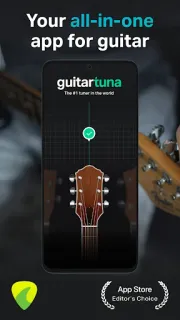
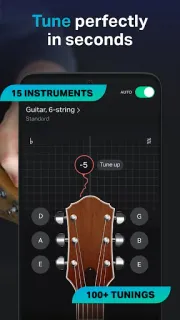
The app uses the phone’s built-in microphone to hear a plucked string and show tuning feedback, so there’s no cable to connect. The listing describes tuners for guitar, ukulele, bass, violin and other instruments, plus standard and custom tunings. For guitar, it also offers chords and tabs for songs, along with trainers, tutorials and personalized feedback. I’d use the tuner for a quick check before playing, then browse the song material when I have time to practice. If I’m following a tab on a laptop, I can keep my phone nearby for tuning rather than treating the app as a replacement for every music resource.
The microphone is central to tuning, so the app needs access to it for that job. I’d allow that when prompted if I want the tuner to hear strings, and avoid expecting it to work as intended without microphone access. The listing flags ads and in-app purchases, so I’d look over any paid options before committing to a learning feature. I’d also pause music through wireless earbuds while tuning: sound playing near the phone can make it harder to hear the instrument clearly. The tuner is the practical core; the broader learning experience may suit people differently.
I’d install GuitarTuna if I play guitar or another supported instrument and want a tuner close to song-learning tools. A player who only needs tuning may prefer a simpler tuner, while someone seeking a full lesson program should check the available learning features and purchase details first. Open the Google Play button just below to see the listing before deciding.

 How-toGuitarTuna