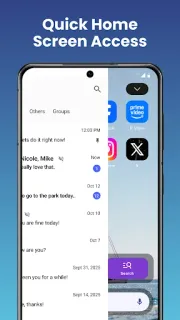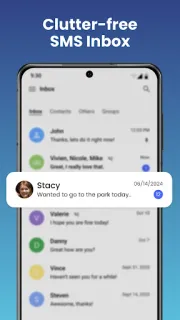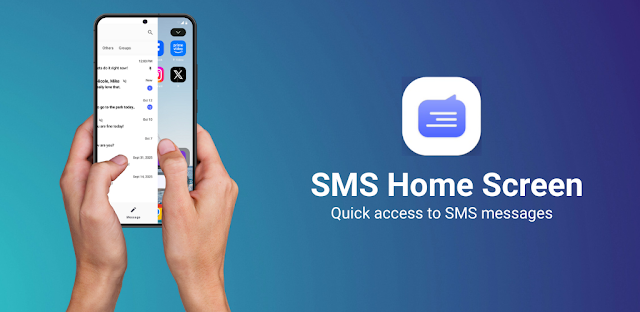
The school pickup message arrives while I’m checking the family calendar: one person asks about the time, another replies in the group, and a photo follows. Messenger Chat Home is aimed at that sort of quick exchange, bringing recent chats and an inbox onto the Android home screen so I can get to a reply without first opening a separate messaging app. That convenience matters most when I’m juggling a few conversations, not when I want another place to browse.
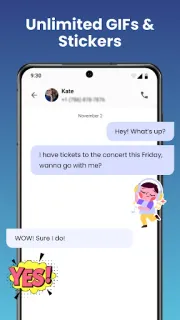
The app combines SMS and MMS messaging with launcher features. Its description says I can start group chats, share photos and videos, and add stickers, GIFs and emojis to messages. A message widget can preview unread texts and offer a quick reply, while recent chats and the inbox are available from the home screen. In practical terms, this is a change to how texting sits on the phone, rather than just a new set of chat decorations. If I use a separate app for messaging already, I’d weigh that home screen access against changing my routine.
Text messages can contain personal details, so the important trade-off is access: a messaging launcher needs the relevant phone permissions to send and receive SMS and MMS, and a widget that previews messages can expose their contents on the home screen. I’d review the permission requests during setup and check the phone’s notification and lock-screen preview settings. The app contains ads, although it is free to install. I’d also check the Google Play listing for its privacy details and any in-app purchase information before deciding what suits me; no account requirement is established by the description.
I’d consider installing it if SMS is my main way to coordinate family plans and I want the inbox, quick replies and expressive extras close at hand. I’d skip it if I prefer keeping message previews off the home screen, already like my current messaging setup, or don’t want ads in a communication app. It is a Personalization app, so the appeal is partly about making the home screen work differently, not simply adding GIFs. Check the Google Play button just below if this trade-off fits how you text.