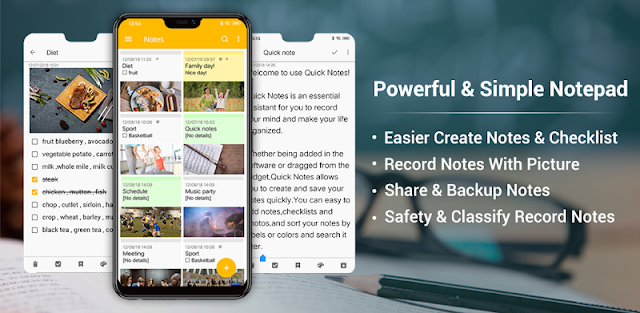
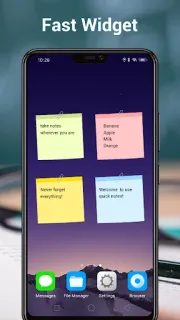
Saturday morning, one person is picking up bread while another is already at the hardware shop. I’d put the errands in a checklist note, then share it by SMS or email so the person out can see what remains. For a family calendar keeper, that is useful for the small handoffs that otherwise get buried in a chat: who brings the sports kit, what needs adding to the pantry, or which job can wait until Sunday. A home-screen sticky note widget can keep a short, personal reminder close at hand.
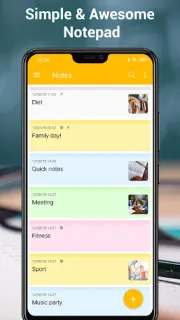
Notes covers quick memos, shopping and to-do lists, with folders for sorting topics and five background colors for telling notes apart. You can change font size, turn a note into a checklist, set a reminder, and rely on automatic saving rather than looking for a save button. The app also offers backup and import through an SD card, plus syncing notes to Google task. Those tools make it more like a practical pocket board than a shared project workspace: sharing a note by email or SMS works well for occasional handoffs.
I’d treat sharing and syncing as separate jobs. Sending a note by email or SMS is a straightforward handoff; cloud syncing uses Google task, so check that this fits the account and workflow your family already uses. The app contains ads and offers in-app purchases, so look at the Google Play listing for purchase details before settling on it. If your notes hold sensitive information, consider carefully what you enter and where you share it. Backup and import options are useful for keeping a copy of your notes.
Install it if you want a lightweight place for recurring errands, school reminders and simple lists that can be passed to another person. It may suit a small team with occasional handoffs, too, especially when a checklist is enough. Skip it if you need a full shared calendar or real-time team planning; its described tools center on notes and lists. Check whether its Google task sync suits your setup, then use the Google Play button just below to open the listing.
 TroubleshootingNotes